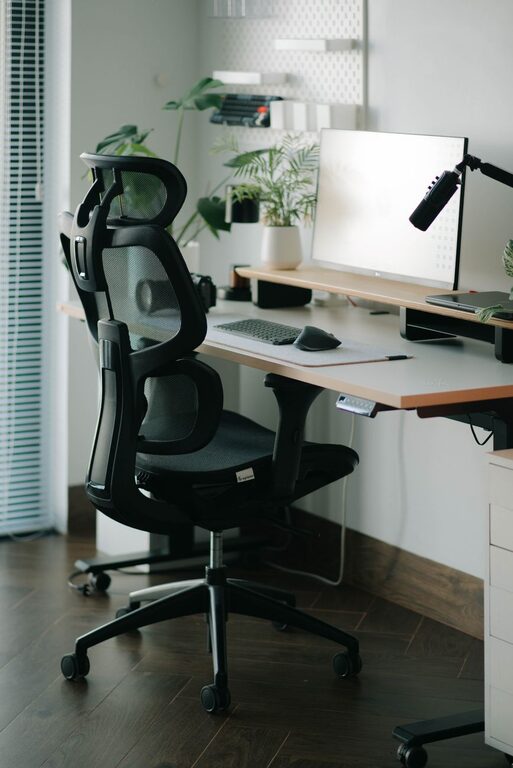

Creating a home office that is both cozy and productive can significantly enhance your work-from-home experience. Whether you’re a remote worker, freelancer, or simply need a dedicated space for paying bills and managing personal projects, the right environment can make all the difference. Below are practical tips to help you design a workspace that promotes focus and comfort.
Choose the Right Location
Finding the perfect spot in your home is the first step. Ideally, select a quiet area with minimal distractions and enough natural light. A corner in the living room, a spare bedroom, or even a well-lit nook can work well. Consider proximity to power outlets for your electronic devices and ensure there’s enough space for your desk and chair.
Prioritize Comfortable and Functional Furniture
Investing in ergonomic furniture pays off over time. A good office chair that supports your back and encourages good posture helps prevent discomfort during long work sessions. Your desk should be at a height that allows your arms to rest comfortably while typing. If possible, consider adjustable desks that let you alternate between sitting and standing.
Optimize Lighting
Lighting affects both comfort and productivity. Natural light is ideal because it boosts mood and reduces eye strain. Position your desk near a window to take advantage of daylight. For overcast days or evening work, use a desk lamp that offers soft, warm light. Avoid harsh fluorescent lighting which can cause headaches and tension.
Keep Your Workspace Organized
A clutter-free workspace promotes focus. Use storage solutions like shelves, drawers, and organizers to keep supplies and documents tidy. Designate specific spots for everyday essentials, so you don’t waste time searching for items. Regularly declutter your desk to maintain a refreshing and distraction-free area.
Add Personal Touches
While keeping the space professional, adding personal touches makes it feel welcoming and cozy. Consider hanging artwork or photos that inspire you. Indoor plants can bring a soothing touch and improve air quality. Choose colors and decorations that resonate with you, but avoid over-decorating which may become distracting.
Manage Noise Levels
Background noise can hinder concentration. If your space is noisy, try using noise-canceling headphones or white noise machines to create a calm environment. Alternatively, soft instrumental music can help some people focus. If possible, use rugs, curtains, or other soft materials to absorb sound and reduce echo.
Ensure Good Air Quality and Temperature
Comfortable temperature and fresh air keep you alert and comfortable. Keep windows open when weather permits, or use an air purifier if needed. Adjust your thermostat to maintain a moderate temperature, neither too hot nor too cold. Proper ventilation can also prevent drowsiness and headaches.
Establish Clear Boundaries
If your workspace is in a shared area, communicate your working hours with family or roommates to minimize interruptions. Consider using room dividers or screens to visually separate your office from living spaces. This helps your brain associate the area specifically with work, aiding focus.
Use Technology Wisely
Equip your home office with the necessary tech tools without cluttering your space. A reliable computer, fast internet connection, and appropriate accessories like a webcam, microphone, and printer are essential. Cable organizers keep cords neat and prevent tangled messes.
Take Breaks and Move Around
Design your space to encourage movement. Incorporate a comfortable chair for work but include space for a quick stretch or short walk. Taking regular breaks helps maintain productivity and reduces fatigue.
Final Thoughts
Designing a cozy and productive home office is about balancing comfort with efficiency. By considering your needs and preferences thoughtfully, you can create a space that motivates and supports you through your workday. Small changes can have a big impact, so start with the tips above and adjust your setup as you discover what works best for you.