Creating a comfortable and productive home office space is essential for anyone working remotely, freelancing, or managing tasks from home. A well-designed workspace can improve focus, reduce stress, and help maintain a healthy work-life balance. In this post, we’ll explore practical tips to help you create a home office that supports both comfort and efficiency.
Choose the Right Location
Find a Quiet Spot
Choose a location with minimal distractions. If possible, select a room or corner away from heavy foot traffic, noise, or household activities. A quieter environment allows you to concentrate better and work without interruptions.
Consider Natural Light
Natural light boosts mood and energy. Set up your desk near a window to enjoy daylight, but be mindful of glare on your computer screen. Use curtains or blinds to control brightness as needed.
Invest in Ergonomic Furniture
Select a Comfortable Chair
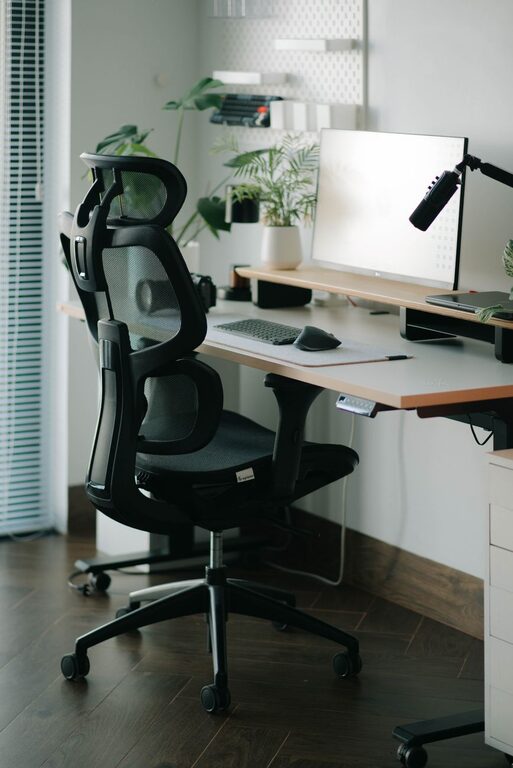
An ergonomic chair supports your back, promotes good posture, and reduces strain during long work sessions. Look for adjustable chairs with lumbar support, cushioned seats, and armrests.
Use a Functional Desk
Choose a desk that fits your space and meets your work needs. It should be large enough for your computer, papers, and other essentials, yet not overcrowded. Adjustable desks that allow sitting and standing options can also benefit your health.
Organize Your Workspace
Keep Essentials Within Reach
Arrange your desk so that frequently used items like your phone, notebook, and pens are easy to access. This reduces unnecessary movement and keeps your workflow smooth.
Declutter Regularly
Remove unnecessary items from your desk and office area to maintain a clean, distraction-free environment. Use organizers, drawers, and shelves to keep supplies tidy.
Optimize Lighting
Combine Ambient and Task Lighting
Good lighting reduces eye strain. Use a mix of overhead light and a task lamp for focused work. Adjustable lamps can help you direct light exactly where needed.
Choose the Right Bulbs
Opt for bulbs with a neutral or daylight color temperature (about 4000K to 6500K). These settings mimic natural light and help keep you alert.
Enhance Comfort and Personalization
Control Room Temperature
Keep your home office at a comfortable temperature to avoid discomfort. Use fans, heaters, or air conditioning as necessary.
Add Personal Touches
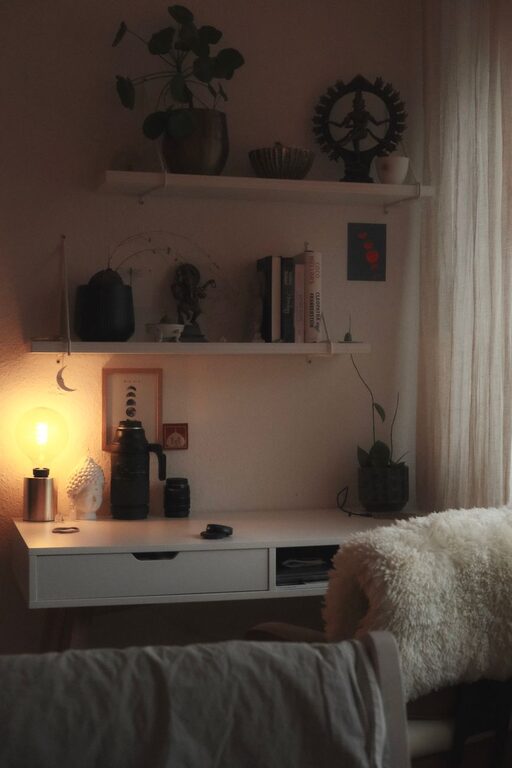
Incorporate items that inspire you, like plants, artwork, or photos. These personal touches can make your office feel welcoming and boost your mood.
Use Technology Wisely
Invest in Reliable Equipment
Use a dependable computer, high-speed internet connection, and quality peripherals like a keyboard and mouse. This prevents frustration and downtime.
Manage Cables and Chargers
Organize cords with cable ties or clips to avoid tangles and improve workspace aesthetics.
Establish Boundaries and Routine
Set Clear Work Hours
Define start and end times for your workday to maintain balance. Communicating your schedule to household members can minimize interruptions.
Take Breaks and Move
Schedule short breaks to stretch and rest your eyes. Movement refreshes the mind and body, promoting long-term productivity.
Consider Acoustic Solutions
Reduce Noise Distractions
If your space is noisy, consider adding rugs, curtains, or acoustic panels to absorb sound. Noise-canceling headphones are another useful option.
Maintain Good Air Quality
Ventilate Your Workspace
Fresh air can improve concentration. Open windows when possible or use air purifiers to maintain good air quality in your office.
—
Creating a comfortable and productive home office is about balancing functionality with personal comfort. Start by choosing the right location and investing in ergonomic furniture, then personalize your space and maintain organization. Over time, these changes can help you develop a work environment that supports your success and well-being.