
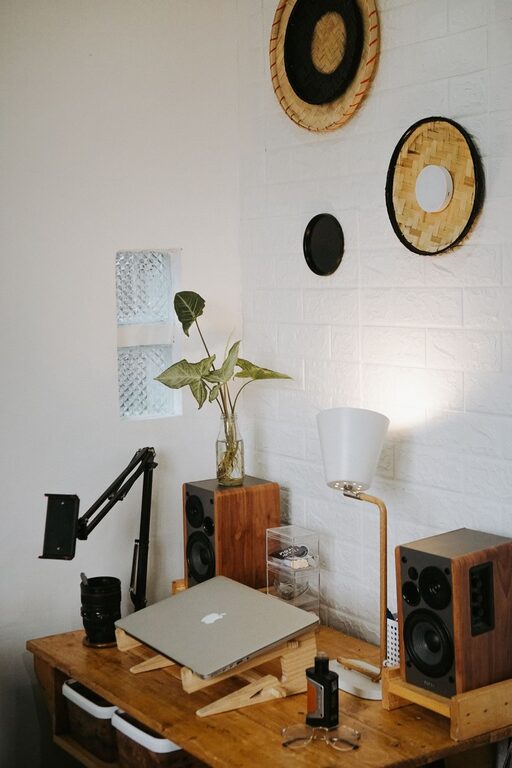
Creating a home workspace that is both cozy and functional can significantly enhance your productivity and overall work experience. Whether you’re working remotely full-time or occasionally need a dedicated spot for tasks, organizing your workspace thoughtfully helps reduce distractions and promotes focus. In this guide, you’ll find practical tips to design a home office that feels comfortable, keeps essentials within reach, and encourages efficient work habits.
Assess Your Space and Needs
Before diving into decoration or buying furniture, start by evaluating the space available and how you plan to use it.
– Choose the right location: Ideally, find a quiet corner with natural light. A spot near a window can improve mood and reduce eye strain.
– Define your work style: Consider the type of tasks you perform. Do you need multiple monitors, filing space, or crafting supplies? Tailor your setup accordingly.
– Measure your area: Knowing the size of your workspace helps you select furniture that fits well without overcrowding.
Select Comfortable and Practical Furniture
Comfortable seating and a functional desk form the foundation of your home workspace.
Chair Matters
Invest in an ergonomic chair that supports your posture, especially if you spend long hours working.
– Adjustable height and lumbar support prevent back pain.
– Breathable materials keep you comfortable through the day.
– Swivel and mobility options add convenience.
Desk Choices
Choose a desk that suits your work habits.
– Ample surface area for your computer, papers, and accessories.
– Enough clearance to stretch your legs.
– Options for standing desks if you prefer alternating between sitting and standing.
Organize Supplies with Smart Storage
Keeping your workspace tidy minimizes distractions and saves time searching for items.
– Use containers and trays: Keep pens, clips, and other small things organized.
– Shelving units: Vertical storage uses wall space efficiently for books, binders, or decor.
– File organizers: Sort documents into labeled folders for quick access.
– Cable management: Use clips and sleeves to prevent tangled wires.
Personalize Your Workspace for Coziness
Adding personal touches makes your workspace inviting and reduces stress.
– Add plants: Indoor plants improve air quality and add life.
– Soft textures: A cozy throw blanket or cushioned chair pad enhances comfort.
– Warm lighting: Use desk lamps with warm bulbs rather than harsh overhead lights.
– Inspirational decor: Include photos, artwork, or motivational quotes.
Enhance Productivity with Layout and Lighting
How you arrange your items impacts daily efficiency.
– Keep frequently used items within arm’s reach to avoid unnecessary movement.
– Position your monitor at eye level to reduce neck strain.
– Use natural light when possible, but control glare with blinds or curtains.
– Layer your lighting: mix ambient, task, and accent lighting for balanced brightness.
Establish Zones for Different Activities
If space allows, define specific areas for distinct tasks.
– A clear desk area for computer work.
– A flat surface or easel for brainstorming or sketching.
– A filing or reference zone to organize paperwork.
These zones help maintain order and mentally switch between parts of your work.
Maintain Your Workspace Routinely
Even a well-organized office needs regular upkeep.
– At the end of each day, tidy your desk to start fresh tomorrow.
– Schedule weekly decluttering sessions.
– Reassess your setup every few months to adapt to changing needs.
—
By following these tips, you can design a home workspace that feels welcoming yet promotes focus and efficiency. Finding the balance between cozy comfort and functional organization makes working from home a more pleasant and productive experience. Start with small changes and personalize your space as you discover what works best for you. Happy organizing!